Use the matching reader or access point listed in your app.
OPTION 01 Bluetooth access
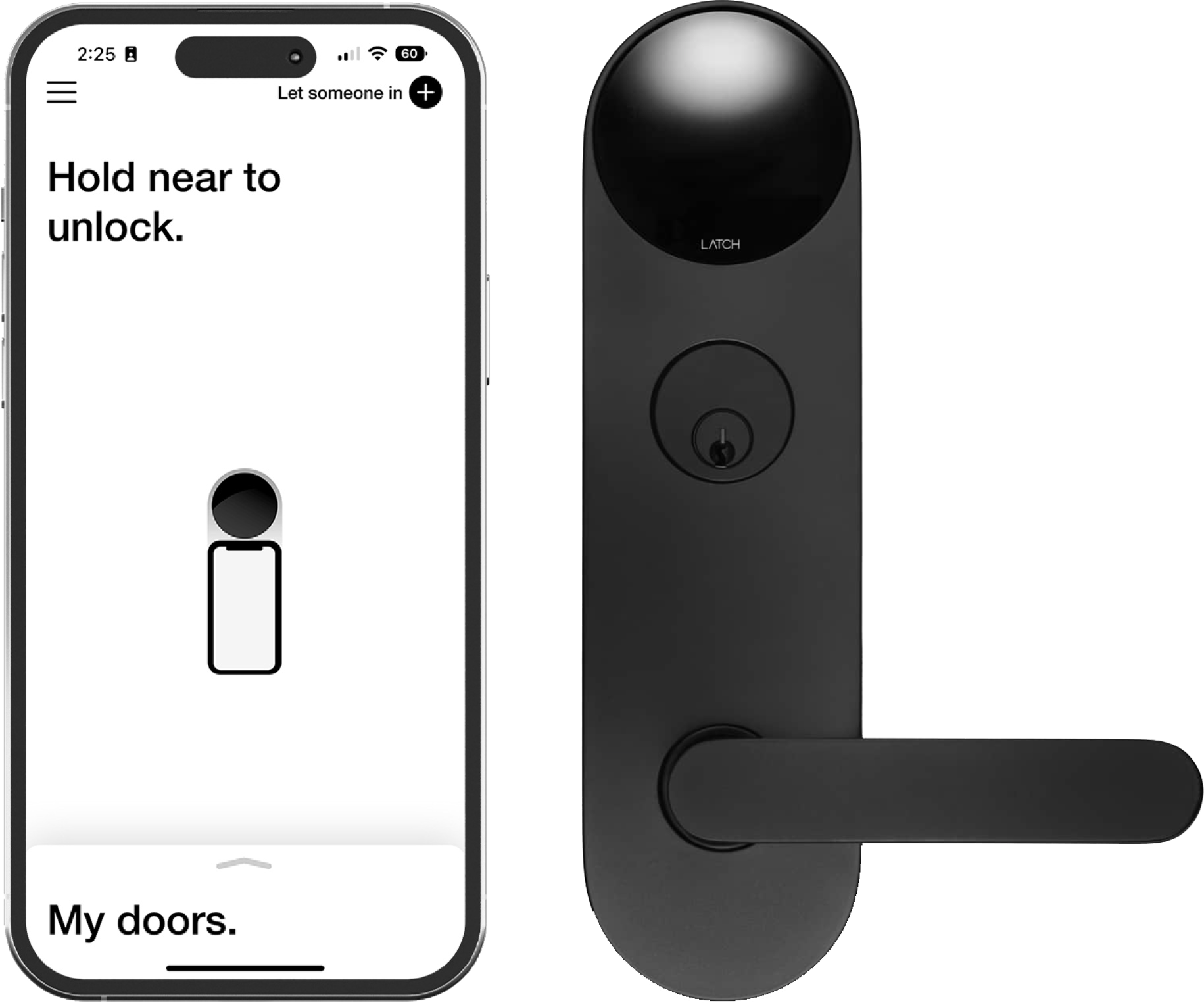
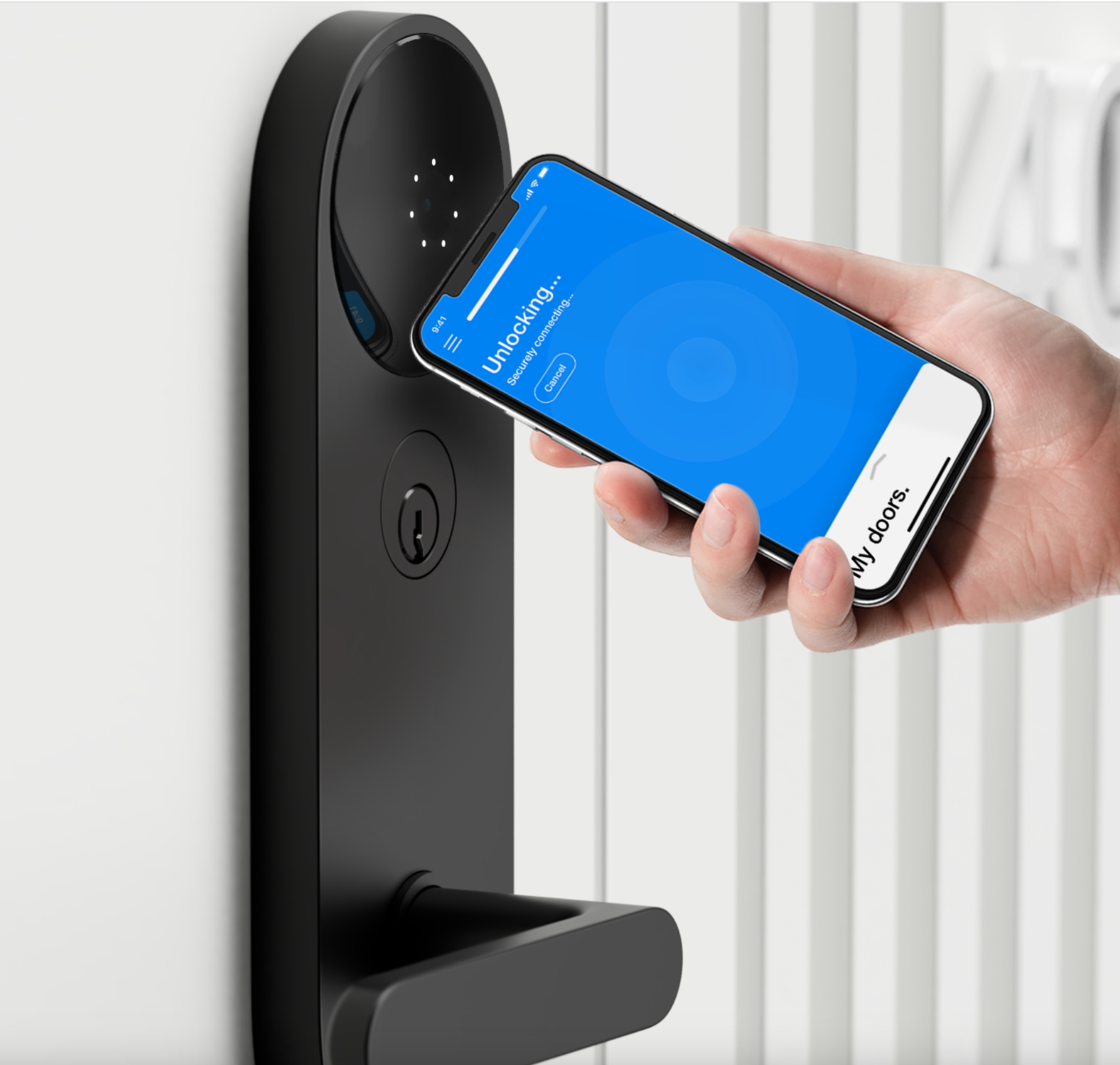
Tap your phone
Open the app and hold your phone near the reader.
Sign in to the DOOR app.
With Hold Near to Unlock enabled, hold your phone near the black reader.
Wait for the unlock confirmation.
First time? Initial syncing may take up to 90 seconds. Keep your phone near the reader.
Keep the app open and your phone close.
OPTION 02 Bluetooth access
Tap the unlock button
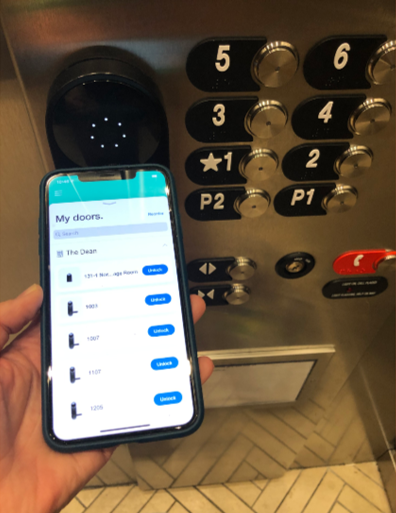
Choose the access point directly in the app.
Stand near its reader.
In Access, find the door, elevator, or garage entry.
Tap Unlock and wait for confirmation.
This option also needs Bluetooth and the app’s permissions enabled.
Choose the matching entry, then tap Unlock.
OPTION 03 Where codes are enabled
Use a code
Find your code in Access → Doorcodes.
Touch the reader to wake it.
Enter the matching 7-digit code, within 5 seconds between digits.
A full circle of lights confirms the unlock.
Once access has synced, a code can work without a charged phone.
YOUR DOORCODE
• • • • • • •
Find it in your app. Enter it on the reader.
Use the code for that specific access point.
Images from the reference guide show example devices and app screens. Labels and reader placement may vary.
A LITTLE HELP, IF YOU NEED IT
Trouble getting in?
Try these quick checks. If you’re still stuck, text us at 615-992-1973.
The app won’t unlock the door+
Check that Bluetooth and Location services are on and that the app has permission to use both. Move closer and try the Unlock button. If needed, toggle Bluetooth off and on, then reopen the app. If you’re locked out, text us at 615-992-1973 right away.
I can’t find my invitation or keys+
Check your spam folder for the invite. Make sure you signed in with the email we sent the invite to. Any other email can sign in to the app, but it won’t have access to anything. Then pull down on the Access tab to refresh. Still missing? Text us at 615-992-1973.
How do I refresh my door’s access?+
While signed in with active access, stand near the door. In Access, select your door, choose Sync, then tap the Sync button. Keep the app open until confirmation appears. If you can’t sign in or access is missing, text us at 615-992-1973.
My Doorcode didn’t work+
Lights went dark? Wake the reader and restart. Two flashes? Retry the code; if it still fails, sync the door or text us at 615-992-1973.
Someone else needs access+
Text us at 615-992-1973 with their name, email, and the dates they need, and we’ll send them an invite.
The lock reports a low battery+
Text us at 615-992-1973, and we’ll get the battery changed.